Desktop Snapshots
Using Desktop Snapshots
Snapshots allow you to 'backup' your virtual machine and restore it with ease.
For example, if you're doing an upgrade that could break your system, you can stop your virtual machine and take a snapshot beforehand.
If the upgrade goes well, you can delete the snapshot; if not, you can restore the machine to its previous state.
Snapshots are available across all DaDesktop setups, including Fresh Start, Trainer, Participant, and Standalone machines.
Please note that when you restore a snapshot, the machine will be powered down and ready to be restarted.
Creating Snapshots

Here's how to take a snapshot. Give it a clear, descriptive name so you'll know exactly when it was taken.

Below, you can see two snapshots taken at different stages. You can restore or delete them as needed.

Automatic Desktop Snapshots
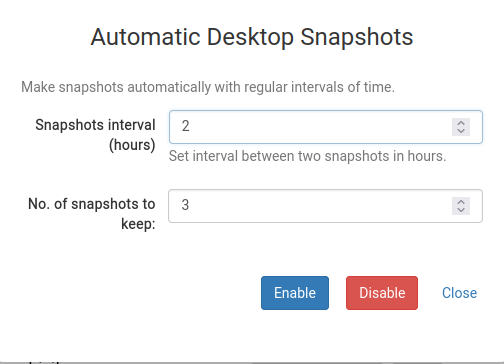
If you'd rather have snapshots taken periodically so you don't forget, Automatic Desktop Snapshots is the ideal solution.
You can configure how many snapshots to keep and how often new ones are taken from this setting.